Your desktop, folded.
DeskFold turns the edges and surface of your Windows desktop into a fast, beautiful command center — smart folders, slide-out panels and instant tools, always one hover away. Your real files are never touched.
DeskFold turns the edges and surface of your Windows desktop into a fast, beautiful command center — smart folders, slide-out panels and instant tools, always one hover away. Your real files are never touched.
Your desktop is prime real estate — but Windows only lets you scatter icons on it. DeskFold draws a smarter layer on top of it, and leaves everything underneath alone.
DeskFold widgets live on the desktop layer itself — under your apps while you work, instantly on top when you ask (Alt+D). It never moves, renames or deletes a single file. Hiding your desktop icons is a visual toggle, not a cleanup script.
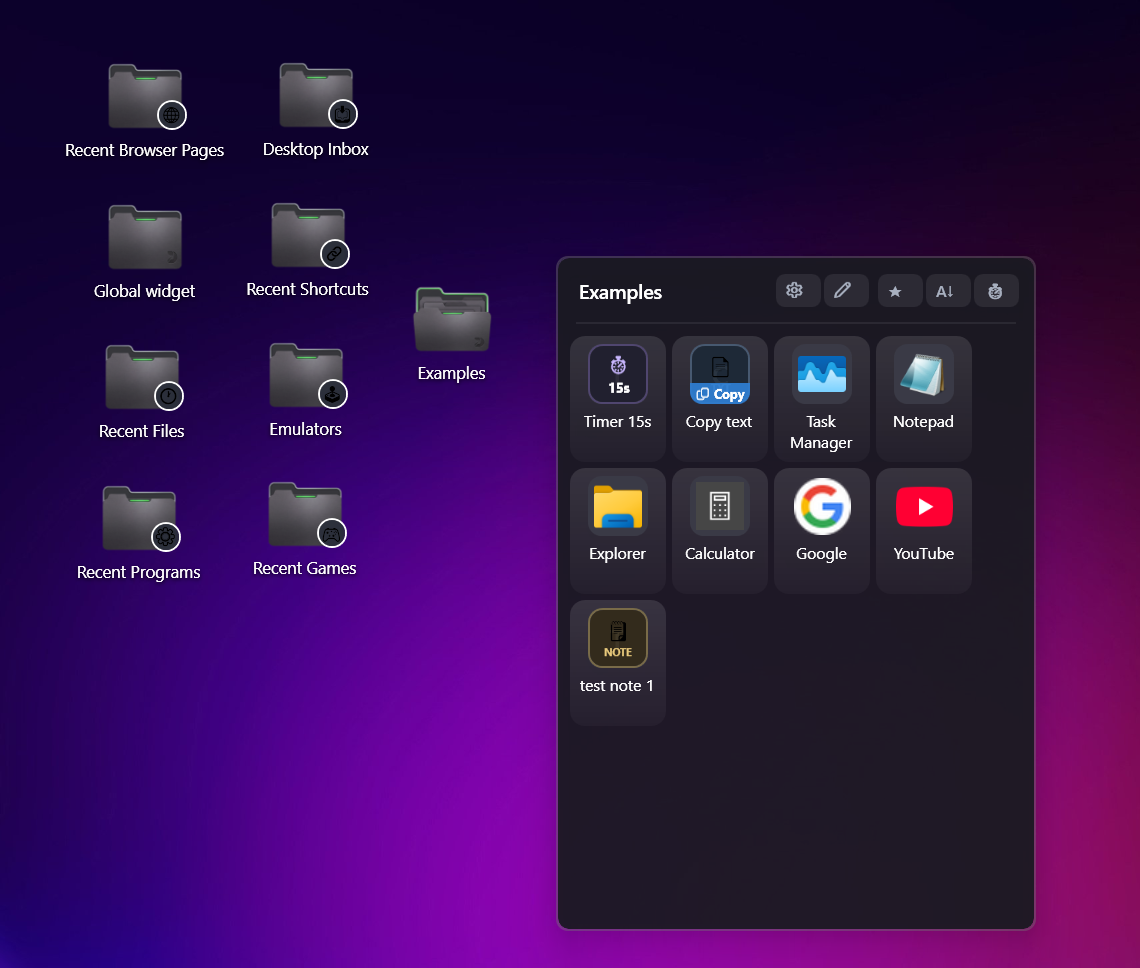
Apps, files, websites, notes, timers, copy-snippets — they all become tiles inside folders you design. Click launches, drag reorders, drag out pins to the desktop. One interaction model for everything you use.
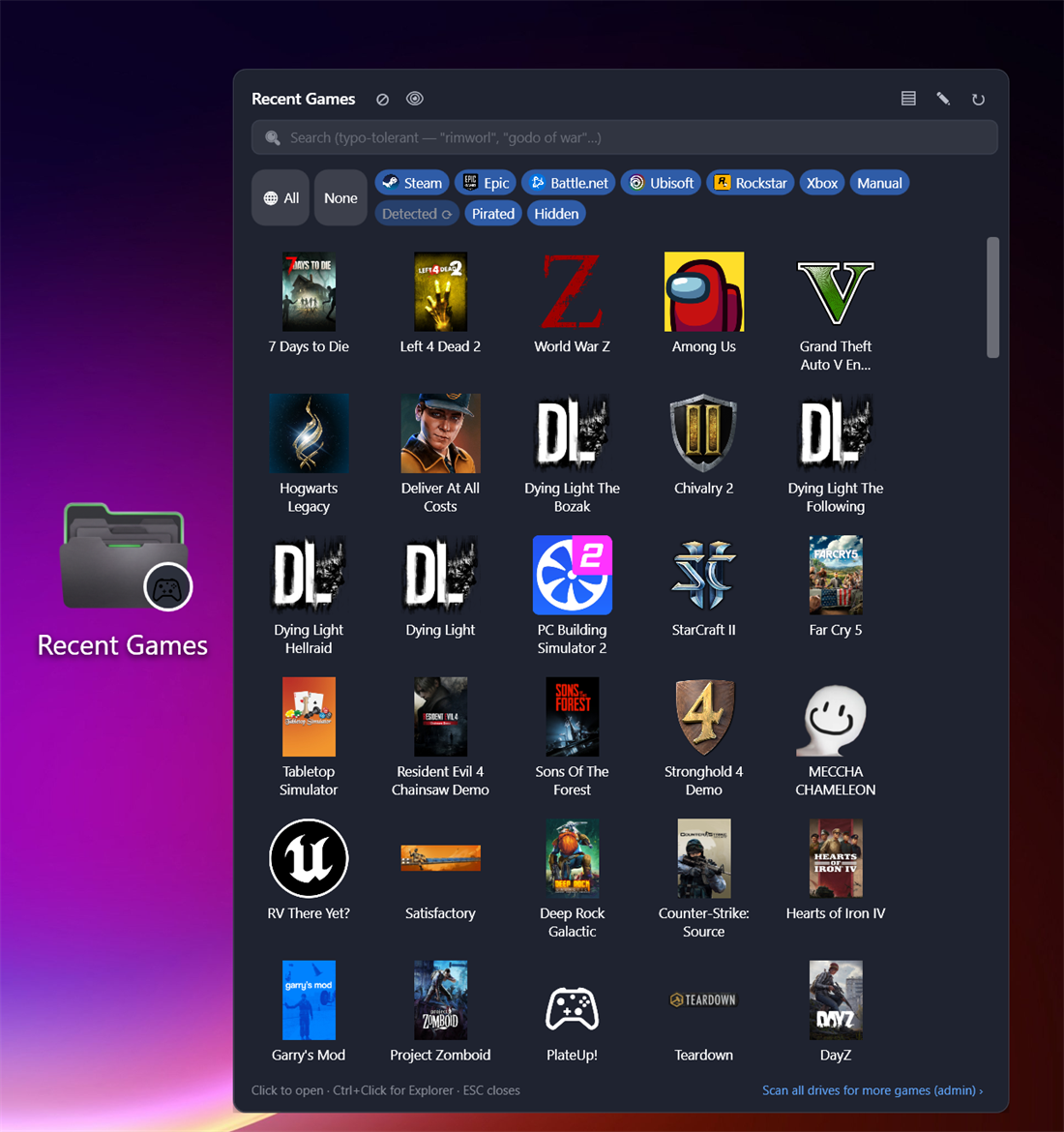
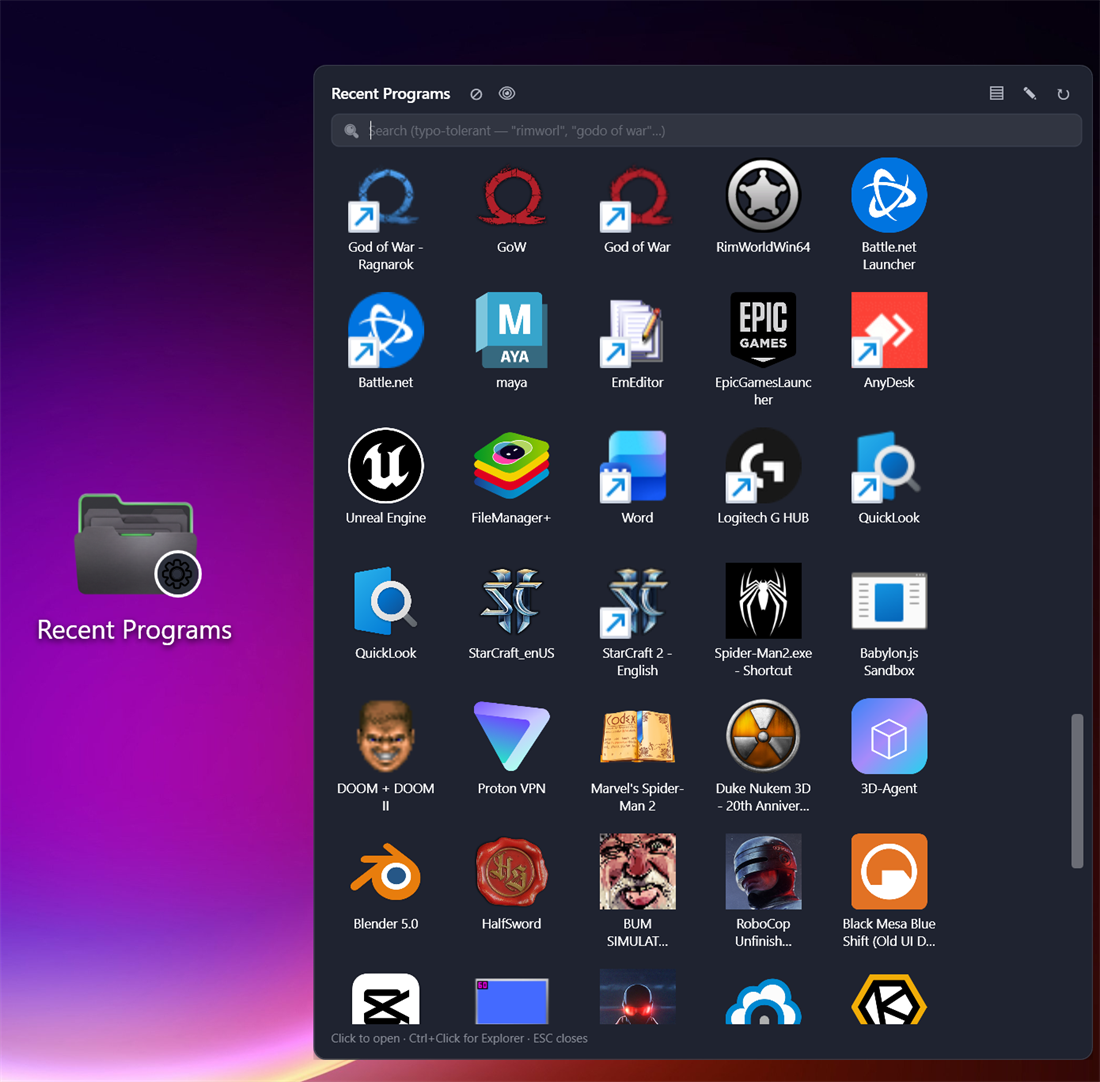
The recents widgets read what Windows already knows — recent files, jump lists, installed games, browser history — so your most-used things surface automatically. No indexing service, no background scanning, no setup.
Three families of folders, one goal: whatever you need next is already on screen.
Your own folders, holding far more than shortcuts. Hover to open a tidy pop-out panel; every tile type has its own behavior:
Zero-maintenance folders that track what you actually use — reading data Windows already keeps, locally:
For the things you want permanently visible, not behind a hover:
Each folder carries its own look and layout — styling one never touches another, unless you apply a look to all of them at once.
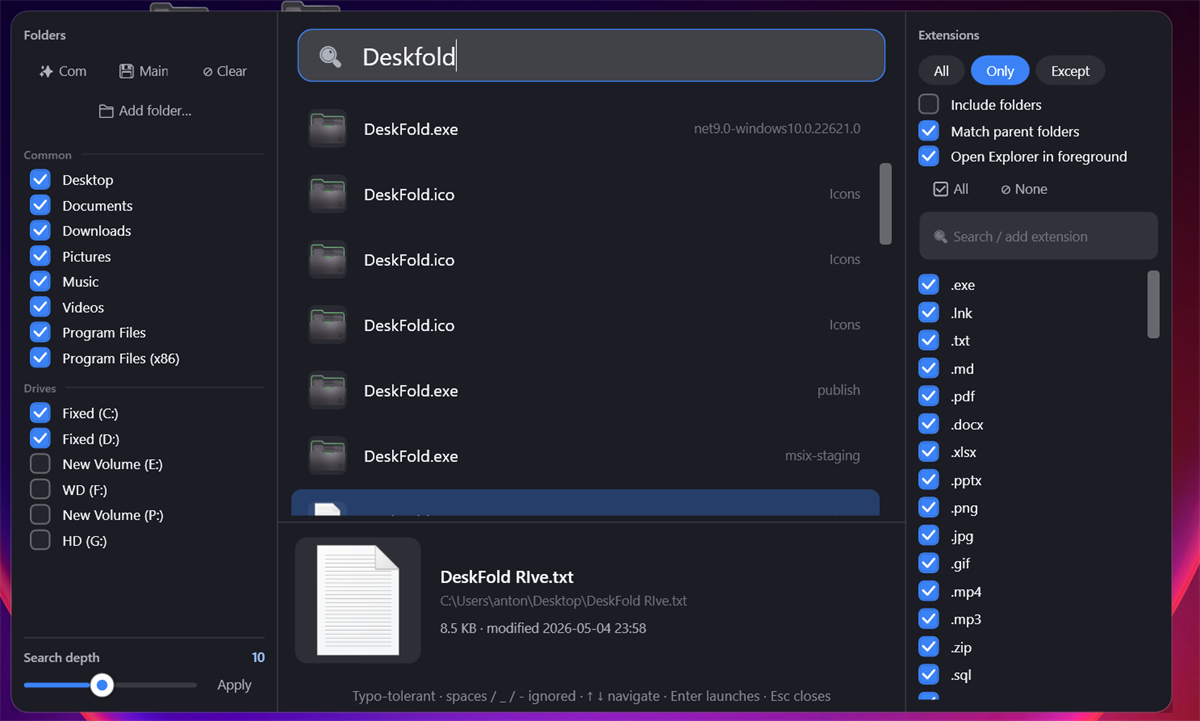
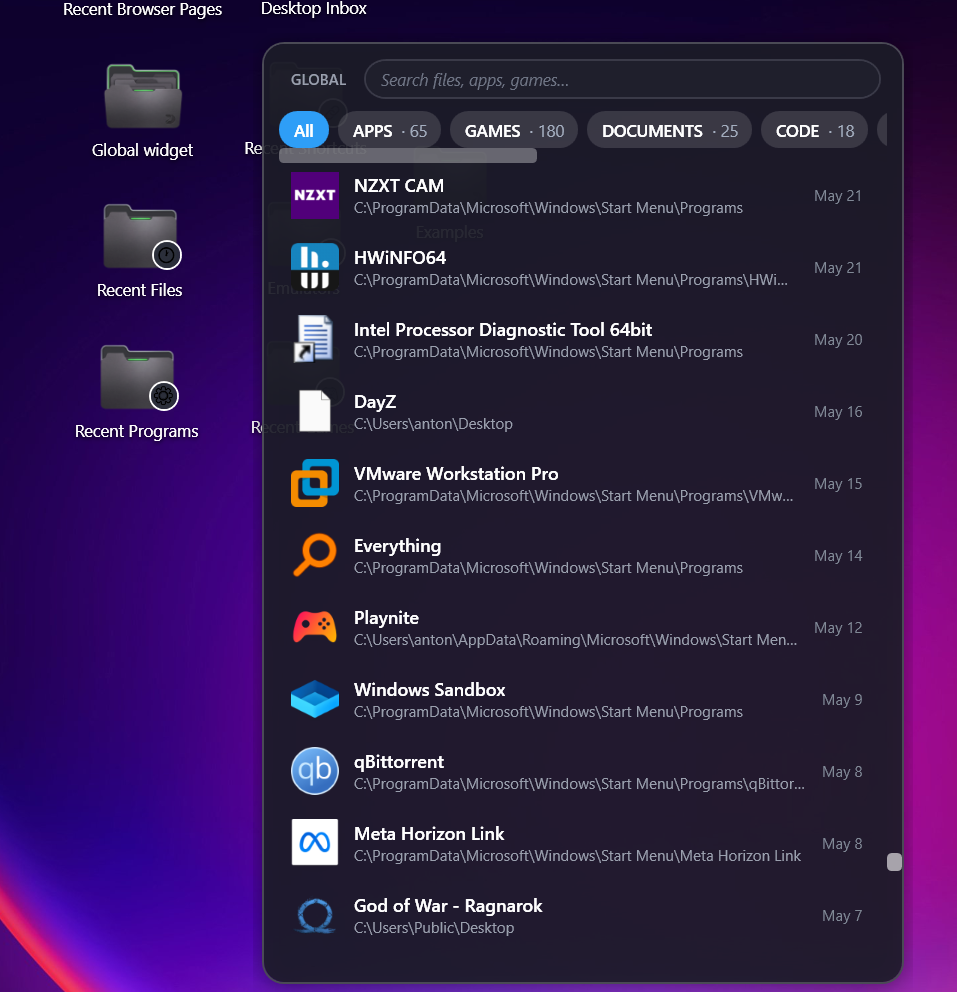
Most launchers make you type the exact name. DeskFold Spotlight is built for how people really type — fast, approximate, and impatient.
| Capability | DeskFold Spotlight | Windows built-in search | Typical launchers |
|---|---|---|---|
| Typo-tolerant fuzzy matching | ✓ | ✗ | varies |
| Scope search to chosen folders & drives | ✓ | limited | varies |
| Include / exclude by file extension | ✓ | ✗ | rare |
| No web results mixed into file search | ✓ | ✗ | ✓ |
| No background indexing service | ✓ | ✗ | varies |
| File preview with path, size & date | ✓ | partial | varies |
Every feature is free. No locked functionality, no trial limits, no ads.
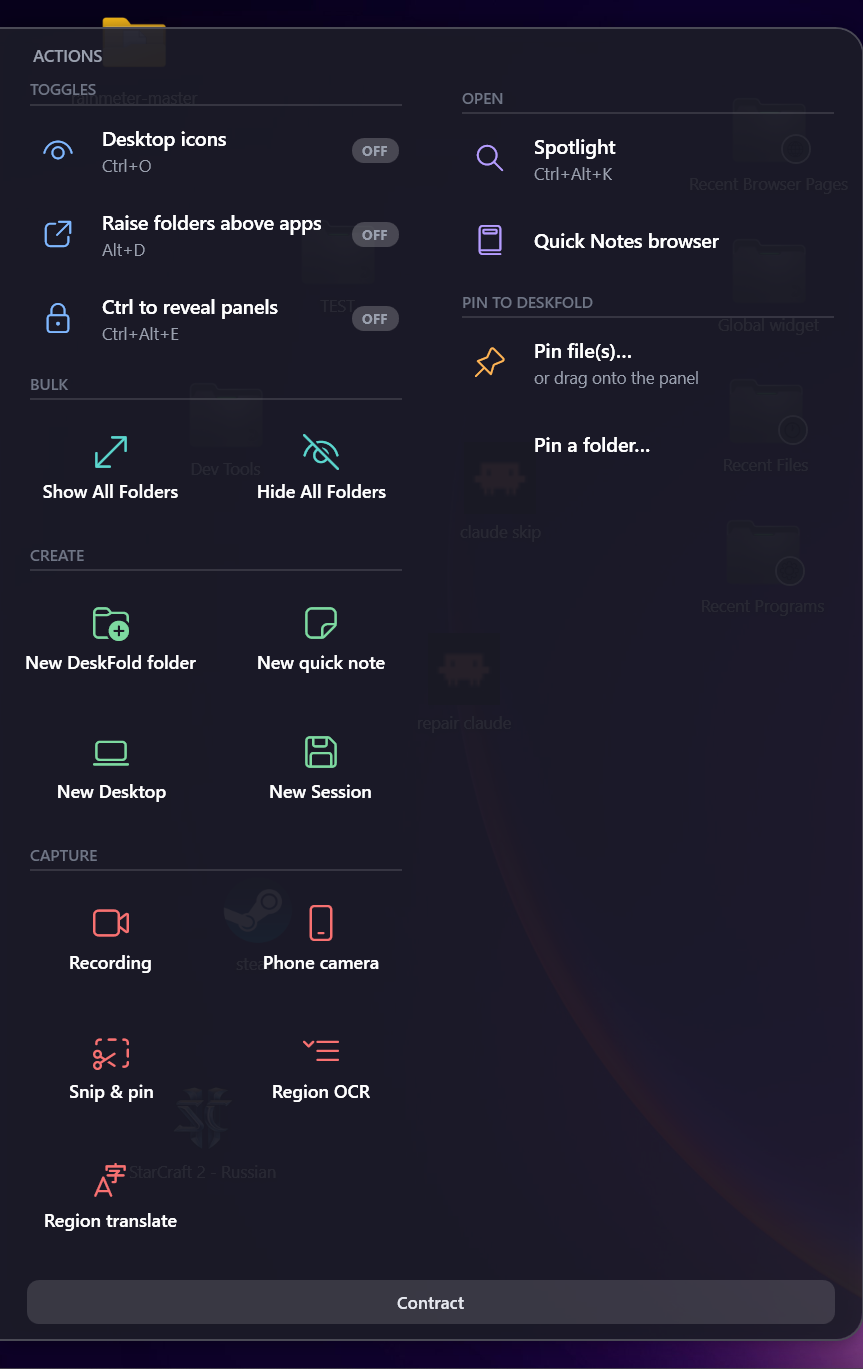
Glide to a screen edge and a panel slides out — quick actions on the left, widgets and setup on the right. Never appears over fullscreen apps or games.
Ctrl+Alt+M mutes every program except the one you're using. Recorders, DAWs and audio tools are automatically protected so your recordings never lose sound.
Drag a region and keep it as a floating, always-on-top screenshot you can move, resize, copy or save. Reference anything while you work.
Pull the text out of any part of the screen — even images and videos — or grab a region and translate it instantly.
One-tap screen recording — DeskFold configures OBS for you. Use your phone as a webcam, set up automatically.
Jot a thought with one hotkey. The note remembers which app and window you were looking at — context included, automatically.
Separate workspaces with their own folders — switch with Ctrl+Alt+1…9. Work, gaming and projects each get their own desk.
English, Español, Português, Français, Deutsch, Italiano and Русский — switch live in Settings, panels and menus update instantly.
Click any screenshot to enlarge.
A few keys do a lot — all rebindable in Settings.
DeskFold is built the old-fashioned way: software that runs on your machine, for you.
No accounts, no analytics, no telemetry, no ads. Everything is stored locally.
Pins and hiding are visual overlays. DeskFold never moves, renames or deletes a file.
No indexing service, no background scanning — recents come from data Windows already keeps.
DeskFold is free forever — every feature included. If it makes your day faster, a supporter purchase is a small thank-you that keeps development going.
After purchase you'll receive a license key by email — paste it into DeskFold → Settings → Support DeskFold to activate. Prefer the Store? The same supporter options exist as in-app purchases in the Microsoft Store version.
Yes — free forever, with every feature enabled. There's no trial that locks things, no ads, no account. The supporter purchases are optional thank-yous; they don't unlock features because nothing is locked.
That's Microsoft SmartScreen being cautious with new indie apps that haven't built a download reputation yet. Click More info → Run anyway. Prefer not to? Install from the Microsoft Store instead — same app, Store-signed.
No. DeskFold never moves, renames or deletes your files — pins and hiding are visual overlays. Everything runs locally on your PC: no accounts, no analytics, no telemetry, no ads. Read the full privacy policy.
No — DeskFold is a lightweight overlay, not a shell replacement. There's no indexing service and no background scanning; recents widgets read data Windows already maintains. Panels and folders are rendered only when you use them, and they stay out of the way of fullscreen apps and games.
English, Español, Português (Brasil), Français, Deutsch, Italiano and Русский. Pick your language in the welcome tour or in Settings → General.
Same app, same features. The Store version updates through the Store and uses Store in-app purchases; the website version uses license keys for supporter purchases. Use whichever you prefer.